Practical guide
Prompt Optimization: 6 Steps to Improve and Test AI Prompts
Learn what prompt optimization means, follow a six-step test loop, compare a worked example, and decide when to change the prompt or the context.

What prompt optimization means (and what it does not)
Prompt optimization is a controlled way to improve an instruction for a particular task. You state what a useful answer must do, test the current prompt on representative inputs, find a specific failure, and revise the smallest part that could cause it. The result is an evidence-backed candidate, not a promise that every future answer will be correct.
That definition separates optimization from simple prompt rewriting. Adding a role, more adjectives, or a longer chain of directions can change the output, but a change is not an improvement until it meets the task’s acceptance criteria. A concise prompt that passes the relevant tests is usually easier to maintain than a long prompt whose rules overlap.
Official guidance also treats prompting as an iterative process: define the task, provide useful context, and evaluate outcomes as you adjust the system. The best mix of instructions and examples can vary by model, so keep the test conditions visible when comparing versions. See OpenAI’s prompt engineering guide and guide to optimizing model accuracy.
Prompt optimization vs prompt engineering
The terms overlap, but they describe different starting points. Prompt engineering is the broader practice of designing instructions for a task. Prompt optimization starts with a prompt that already exists and uses observed results to decide what to change. In a real workflow, the same person may do both.
| Question | Prompt engineering | Prompt optimization |
|---|---|---|
| Where do you start? | A new task or prompt structure. | An existing prompt and a specific failure or improvement goal. |
| What is the next move? | Define the task, context, constraints, examples, and output contract. | Run a baseline, isolate one likely cause, and compare the revision on the same inputs. |
| What counts as progress? | A prompt that expresses the requirements clearly. | Evidence that the revised prompt meets the task checks without a new regression. |
Engineering principles can shape the first draft, and optimization can continue refining it. The distinction is useful when diagnosing a failure: do you still need to define the task, or do you need to test a targeted change to an existing instruction?
Define success before you edit the prompt
Write down the decision the model must make and the observable checks for a usable answer. A vague goal such as “make it better” encourages subjective edits. A testable goal might be “return valid JSON with every required field, cite only the supplied policy, and flag a case for review when the evidence is incomplete.”
Build a small evaluation set that reflects the actual task. Include a routine input, a boundary case, and an input with missing or conflicting information. For a writing prompt, those could be a straightforward request, an ambiguous audience, and a request that lacks the facts needed to answer. Three carefully chosen cases are more useful than many near-duplicates because they reveal different ways the prompt can fail.
| Check | What to look for | Example pass condition |
|---|---|---|
| Task completion | Did the answer perform the requested operation? | All supported issues are identified. |
| Evidence | Are claims grounded in the supplied material? | Each label has a short supporting quote. |
| Format | Can the next system parse or use the result? | The response is valid JSON with required keys. |
| Uncertainty | Does it handle missing evidence safely? | Ambiguous cases are flagged for review. |
Use a checklist or a simple pass/fail rubric before reaching for an aggregate score. If you use a model to judge outputs, first confirm that the grader follows the same criteria a human would apply; automated scores can hide a regression when the rubric is poorly matched to the task.
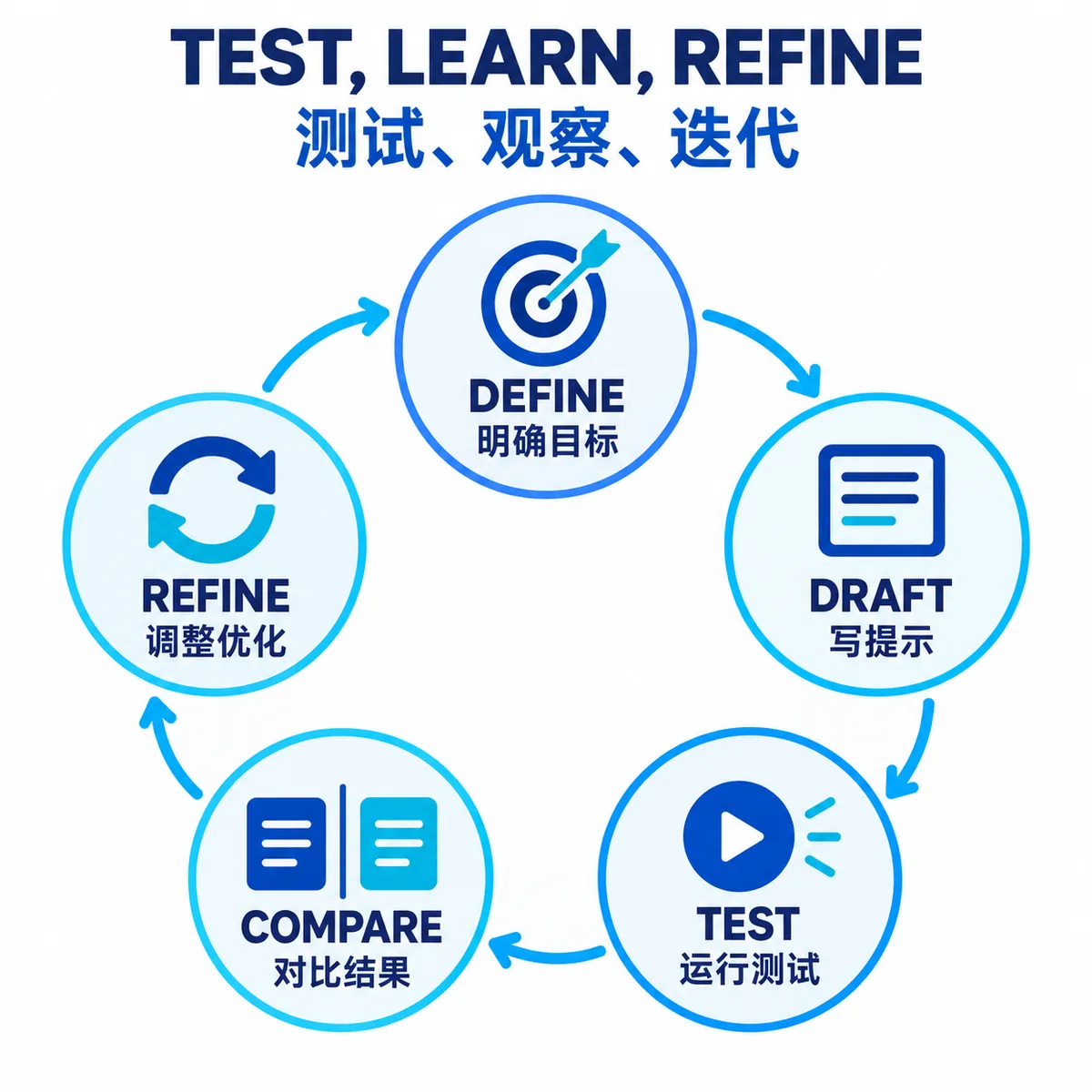
A six-step prompt optimization loop you can repeat
- Describe the job. State the input, the action the model should take, and the audience or downstream system that will use the answer. Separate instructions from quoted or retrieved material so data is not mistaken for a new rule.
- Specify the output. Name required fields, format, length limits, and what the model should do when it cannot satisfy a requirement. A schema or short example often clarifies a result better than extra descriptive language.
- Run a baseline. Save the prompt and test examples, then record where the current version passes or fails. Keep the model, system settings, tools, and supplied context consistent so comparisons remain interpretable.
- Diagnose one failure. Find the smallest observable issue: a missing field, unsupported claim, wrong label, or invalid format. Do not rewrite everything if one missing rule explains the failure.
- Change one likely cause. Add or revise the narrowest relevant instruction, example, constraint, or context source. Changing several at once makes it difficult to tell which change helped or hurt.
- Retest and decide. Run the same examples plus the case that exposed the failure. Accept, reject, or revise the candidate, and record the reason. Keep the old version available so a later regression can be reversed.
This loop makes prompt optimization techniques actionable: every edit has a hypothesis, each version sees the same inputs, and acceptance depends on the intended task rather than on which answer sounds more polished.
Worked example: make a support classification prompt testable
Suppose a team starts with “Classify this support message.” That instruction leaves the label set, treatment of multiple issues, evidence standard, and output format undefined. A model may return a reasonable-sounding sentence that a ticket system cannot reliably parse.
A more testable version makes those decisions explicit:
You triage support messages. Identify each distinct issue using only the message.
Allowed labels: billing, access, delivery, other.
If evidence is insufficient or an issue is ambiguous, set needs_human_review to true.
Return valid JSON with labels, evidence, and needs_human_review.
Do not infer facts that the message does not state.
For the input “I was charged twice, and now I can’t sign in,” a useful output might include both billing and access, brief evidence for each, and a review flag set to false. For “My statement looks strange,” the prompt should allow uncertainty instead of forcing a confident label. These examples test the multiple-issue rule and the uncertainty rule separately.
Before accepting the rewrite, check that both cases produce parseable JSON, labels come only from the approved list, evidence is present, and ambiguous wording triggers review. If the model still invents details, the next change should address evidence boundaries—not add unrelated role-play language.
Prompt, context, model, or tool: choose the right lever
Prompt optimization is only one part of an AI workflow. When an answer fails, identify what information or capability was missing before changing the instruction. More prompt wording cannot supply a policy document that was never retrieved, grant a tool that the model cannot call, or make an unsupported claim reliable.
| Observed failure | Likely lever | First thing to inspect |
|---|---|---|
| The model misunderstands the requested action. | Prompt | Task verb, priority, constraints, and output contract. |
| The answer lacks facts present in a source document. | Context or retrieval | Whether the correct source was supplied and clearly separated. |
| A valid task is impossible with available capabilities. | Tool or model | Required tool access, structured output support, or model fit. |
| One edit fixes an example but breaks another. | Evaluation set | Whether tests cover normal, edge, and missing-information cases. |
| Outputs vary after a model or setting change. | Evaluation and versioning | Recorded model, parameters, prompt version, and regression results. |
If you need to iterate quickly, use a prompt optimizer to propose clearer wording, then evaluate the result against your own examples. The rewrite is a candidate; the same task-specific checks determine whether it is worth keeping.
Common prompt optimization mistakes to avoid
- Optimizing for one attractive answer. A single example can reward a brittle rule. Keep cases that cover different inputs and known failure types.
- Changing several things at once. Multiple simultaneous edits obscure cause and effect. Make a narrow change and compare it with the baseline.
- Assuming more detail is always safer. Conflicting or redundant directions can create new ambiguity. Remove instructions that do not affect a pass condition.
- Using an unclear scoring rubric. A generic “quality” score can hide formatting, evidence, or safety failures. Define checks in terms of observable requirements.
- Ignoring model and context changes. Results only compare fairly when the relevant settings and input material are recorded. Rerun the evaluation when those conditions change.
- Keeping a rewrite without a rollback path. Save the accepted version and the reason for accepting it. That makes a regression easier to trace and reverse.
These are workflow recommendations, not guarantees about model behavior. A prompt that works for one task, model, or context may need new tests when those conditions change.
Summary: keep a prompt change only when it passes the checks
Define a usable result, save the baseline, and use the same representative inputs to compare each targeted revision. If the missing piece is knowledge or tool access, address that instead of adding more instructions. Record the model, context, checks, and decision so you can explain or reverse the change later. For the next step, see our prompt versioning guide to keep accepted revisions traceable.
Prompt optimization FAQ
What is prompt optimization?
Prompt optimization is the deliberate process of improving an AI instruction against a defined task and repeatable examples. It includes clarifying requirements, supplying needed context, testing changes, and keeping a revision only when it meets the acceptance criteria.
What are practical prompt optimization techniques?
Start by making the task and output format explicit, separate instructions from source material, add constraints that prevent known failures, and use a small set of normal and edge-case examples. Change one likely cause at a time so the result is easier to evaluate.
How do I test an optimized prompt?
Run the original and revised prompt with the same representative inputs and model settings. Score both with task-specific checks such as required fields, evidence, format validity, and correct handling of missing information. Keep the revision only if it passes the important checks without a new regression.
Does a longer prompt produce better AI answers?
No. Extra wording can add conflicting rules, increase the amount of context the model must process, or make a simple task harder to follow. Include information only when it changes the expected decision or output.
When should I change the prompt instead of the context?
Change the prompt when the instruction, decision rule, or output requirement is unclear. Improve the context or retrieval source when the model lacks facts it cannot infer. If the available tools or model cannot perform the task, fix that capability gap instead of adding more wording.
How many examples do I need to test a prompt?
There is no universal count. Start with a few examples that represent a routine case, a boundary case, and missing or conflicting information. Add cases when real failures reveal a new pattern; a small set is a practical check, not statistical proof of performance on every future input.
References
- OpenAI: Prompt engineering — guidance on instructions, examples, and model-specific testing.
- OpenAI: Prompt optimizer — dataset preparation, graders, repeat testing, and manual review. As of October 4, 2026, OpenAI says the dataset-backed Prompt Optimizer is being deprecated; Evals will become read-only for existing users on October 31, 2026, and is scheduled to shut down on November 30, 2026. Check the linked status before planning around this feature.
- OpenAI: Optimizing LLM accuracy — an evaluation-led approach to improving application quality.