Prompt Ops guide
Prompt Versioning: Compare, Test, and Roll Back Prompts
Learn how to version prompts as testable assets, compare revisions, release a known-good version, and roll back when outputs regress.
What prompt versioning means
Prompt versioning treats an AI instruction as a changing asset rather than a paragraph edited in place. Each meaningful revision receives an identifiable record, and the record keeps the template, variables, context, model settings, tests, and release decision together. The goal is traceability: when an answer changes, you can identify which version ran and what else changed with it.
This is different from saving dated text files. A useful version answers four questions: what changed, why did it change, what evidence supports it, and where is it active? Without those links, a team can keep many copies and still be unable to reproduce a result. Version control is useful only when the active version and its conditions are visible.
Versioning complements prompt optimization. Optimization tests whether a targeted edit improves a task. Versioning records the edit and preserves the route back to the last accepted result. OpenAI’s prompt engineering guidance and accuracy guidance reinforce explicit requirements and repeatable evaluation.
When prompt versioning pays off
You do not need a platform for a one-off experiment. Versioning starts paying for itself when a prompt is reused, shared, deployed, or evaluated over time. A small wording change can alter a classification label, JSON shape, tool call, refusal boundary, or customer-facing tone.
| Situation | What versioning prevents | Minimum practice |
|---|---|---|
| Several people edit one prompt | Unclear ownership and overwritten changes | Stable ID, author, and change note |
| Staging and production both run it | Environments silently using different text | Explicit active version per environment |
| A model or retrieval source changes | Blaming the prompt for a context regression | Record model, settings, and source snapshot |
| A release fails edge cases | Slow recovery while people search for an old copy | Immutable last-known-good version and rollback note |
Create a useful prompt version record
A version record can be a database row, a YAML file in a repository, or an entry in a prompt management tool. The storage choice matters less than the fields. Keep the instruction separate from runtime variables and retrieved documents so a reviewer can see what is stable and what changes per request.
| Field | Example | Why it matters |
|---|---|---|
| Version and status | invoice-triage@2.3.0, released | Identifies the revision and whether it can receive traffic. |
| Change hypothesis | Require evidence for every label. | Connects the edit to a failure or measurable goal. |
| Template and variables | Instruction plus ticket_text | Prevents sample data becoming a permanent rule. |
| Runtime conditions | Model, parameters, tools, source | Makes comparisons reproducible after a regression. |
| Evaluation result | 14/16 pass; two need review | Shows why the version was accepted or held. |
Use immutable IDs even when the visible text changes. Semantic labels such as v2 are readable, while a commit hash or database ID gives a precise audit handle. Do not silently edit a released record. Create a new revision and link it to its parent.
Compare revisions before asking which is better
A diff should make behavior changes easy to inspect. Compare instructions, output requirements, variable names, examples, and uncertainty rules separately. A line-level diff shows what changed; a short summary explains the operational effect.
v1: Return a category for each support message.
v2: Return every supported category with evidence from the message.
    If evidence is missing, set needs_human_review to true.

Change hypothesis: v1 forced a confident label for ambiguous cases.
Expected check: ambiguous cases are flagged, while clear cases keep their labels.
Keep the previous release beside the candidate during review. If context or model changes too, mark those as separate dimensions. Otherwise a version comparison can look conclusive while several variables moved at once.
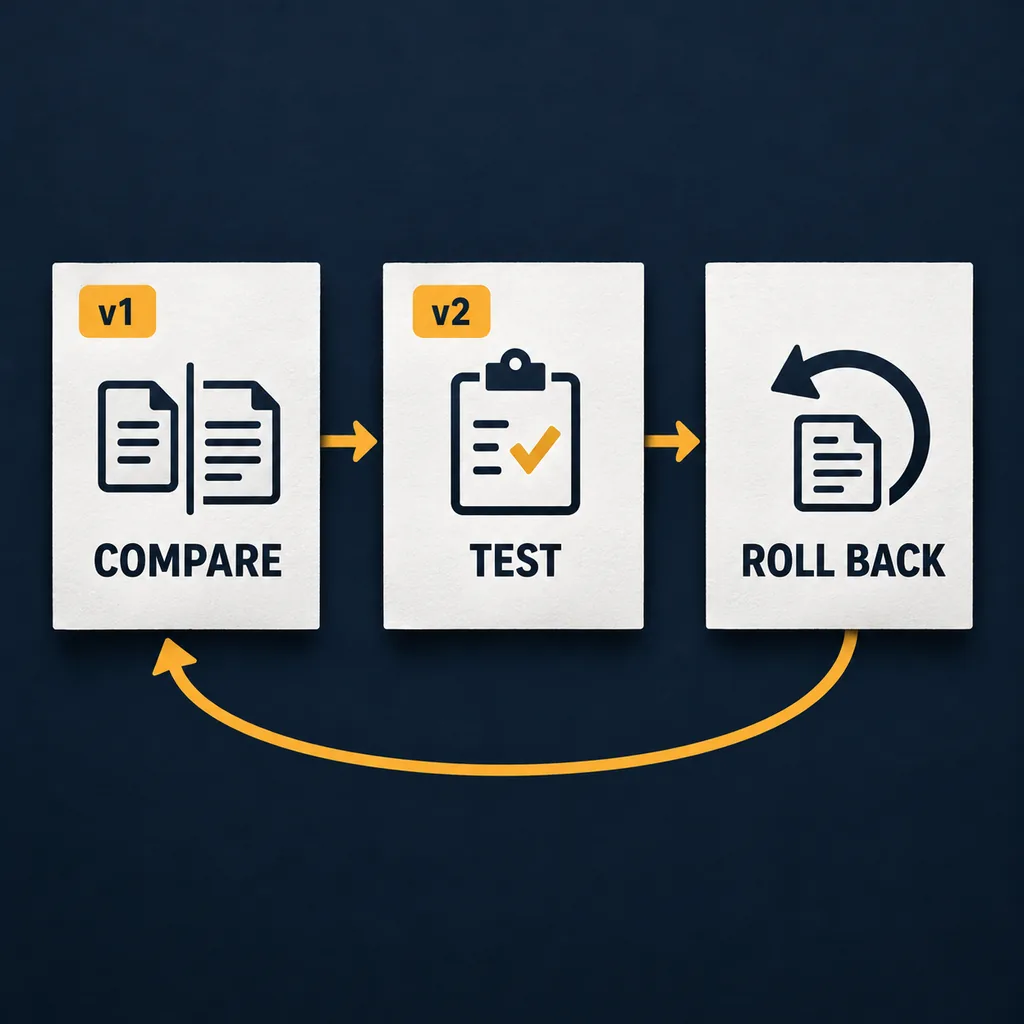
Test a prompt version before release
Use a small fixed evaluation set before relying on a new version. Include a routine case, a boundary case, and missing or conflicting information. The set does not prove every future input will work; it gives a repeatable signal for deciding whether the candidate is safer than the baseline.
- Freeze the conditions. Record model, parameters, tools, source, and version IDs. Keep inputs identical for baseline and candidate.
- Check observable requirements. Score required fields, allowed labels, valid JSON, evidence boundaries, cost limits, and uncertainty behavior.
- Review failures by cause. Separate prompt failures from missing context, tool errors, model changes, or a mismatched rubric.
- Record the release decision. Mark the candidate released, held, or rejected, and save the reason beside the results.
Versioning is useful when prompt testing becomes recurring work. Automation can run the same set for every revision, but it should not hide the rubric. A high aggregate score can still conceal a broken format or a dangerous edge case.
Release and roll back a prompt safely
Separate candidate from active. A candidate can be tested without production traffic. When it passes important checks, promote it with an explicit record naming the environment and previous version. If output regresses, stop the rollout, restore the previous immutable version, and rerun a smoke set before reopening traffic.
- Release: publish version ID, change summary, test result, reviewer, and activation time.
- Observe: watch task-specific failure signals, not only a generic quality score.
- Rollback: point the environment to the last known-good ID; do not paste old text into a new record.
- Follow up: preserve the failed candidate and trigger so the team can reproduce or reject it.
For a simple application, an environment variable or configuration row can hold the active ID. A larger workflow can connect versions to deployments and evaluations. The principle is the same: activation is explicit and reversible. Langfuse’s prompt management documentation is a reference pattern, not a requirement or endorsement.
Common prompt versioning mistakes
- Overwriting released text. Create a new revision instead of losing evidence behind a production result.
- Versioning only the prompt string. Model, settings, tools, variables, and retrieval content can change behavior.
- Using dates as the only identifier. Add a stable ID, parent, status, and change reason.
- Testing only the happy path. Cover missing data, multiple issues, and invalid output cases.
- Making rollback copy-and-paste. Point the environment to a known ID and verify it with a smoke set.
- Publishing every experiment. Keep candidates separate from released versions.
Summary: make every prompt change traceable
Start with a stable version ID, a short change hypothesis, and the conditions needed to reproduce a run. Compare the candidate with the same examples, release it explicitly, and keep the previous version immutable. When output regresses, restore the last known-good ID and record why. This lightweight discipline is useful before a team needs a full prompt management platform.
Prompt versioning FAQ
What is prompt versioning?
Prompt versioning gives each meaningful prompt revision an identifiable record and keeps its instructions, context, model settings, tests, and release decision together. It makes a change traceable and reversible instead of leaving the team to guess which text produced an output.
How is prompt versioning different from prompt optimization?
Prompt optimization asks whether a change improves a defined task. Prompt versioning records the lifecycle of the change, including who made it, what was tested, which version was released, and how to return to a known-good version. A useful workflow uses both practices.
What should a prompt version record contain?
Record a stable version ID, prompt template, variables, model and settings, context or retrieval source, evaluation examples, results, author, timestamp, status, and the reason for the change. Add an approval or release note when another person must review it.
How do I roll back a prompt safely?
Keep the previous released version immutable, stop the new rollout, restore the last known-good version, and rerun a small smoke set before resuming traffic. Record the trigger and decision so the failed version can be fixed or rejected later.
Do I need a prompt management platform to use version control?
No. A repository, structured file, or database can work when it preserves history, separates variables from instructions, and makes the active version explicit. A platform helps when people, environments, models, or evaluation runs make manual tracking difficult.
References
- OpenAI: Prompt engineering — instructions, context, examples, and model-specific testing.
- OpenAI: Optimizing LLM accuracy — evaluation-led diagnosis and improvement.
- Langfuse: Prompt management — a platform example for labeled prompt versions.