Prompt quality guide
Prompt Evaluation: Build a Reliable Test Set and Rubric
A practical prompt evaluation workflow for comparing revisions with representative cases, observable criteria, and a clear release decision.
What prompt evaluation measures
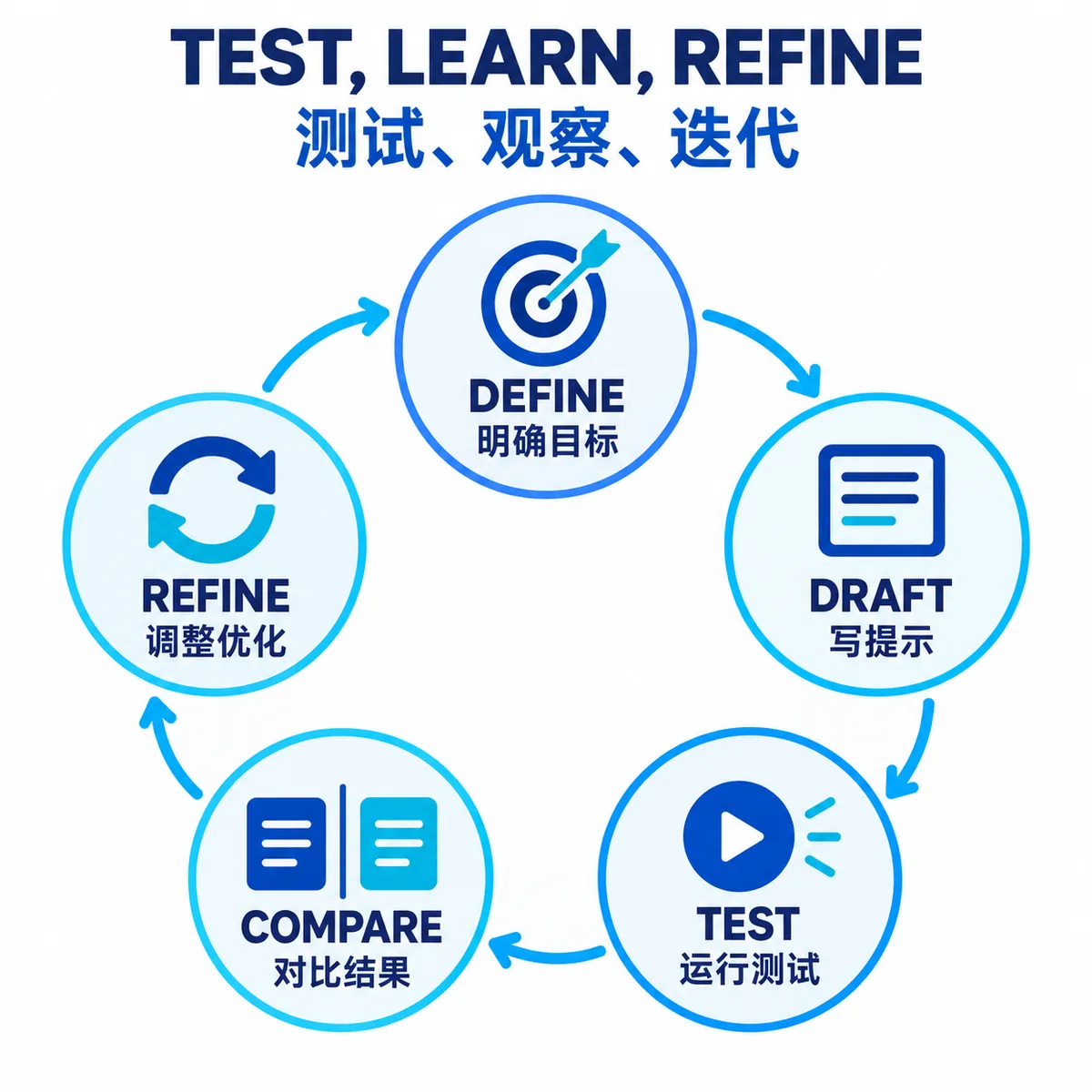
Prompt evaluation is the evidence step between editing an instruction and releasing it. You run the baseline and a candidate prompt on the same representative inputs, check observable requirements, and record a decision. The useful output is not a universal score. It is a map of what improved, what regressed, and what still needs human judgment.
For a first-pass structure check before a model run, use the prompt score checker. It reviews the instruction itself and does not replace testing generated answers against real cases.
A prompt can look clearer and still perform worse. A longer instruction may add token cost, a new format rule may break a tool call, or a confident answer may hide missing evidence. Evaluation makes those trade-offs visible before the change reaches a wider audience. It complements our prompt optimization guide: optimization proposes a targeted change, while evaluation tests whether the change earns acceptance.
For a production workflow, preserve the model, settings, retrieved context, and prompt version with every run. Otherwise a score can be impossible to reproduce and a prompt may be blamed for a regression caused by a model or data change.
Build a small prompt evaluation set
Start with a compact set that represents decisions the prompt must make in practice. Three different cases often expose more than twenty near-duplicates. Add cases when a failure mode matters, not simply to make the dataset look large.
| Case | What it reveals | Example for support triage |
|---|---|---|
| Routine input | Whether the normal path is stable | One clear request with enough account context |
| Boundary input | Whether rules hold near an ambiguous edge | Two requests or a message that fits two labels |
| Missing or conflicting input | Whether the prompt asks for clarification instead of guessing | No account ID, contradictory dates, or unsupported claim |
Keep the original input unchanged and store an expected signal rather than a perfect answer whenever possible. For a classification task, the signal may be an allowed label and a required evidence quote. For writing, it may be a checklist of facts and tone constraints. This makes the set portable across models and reduces dependence on one reference wording.
Choose a rubric with observable criteria
A rubric turns “better” into checks another person can inspect. Separate hard requirements from preferences, and write what counts as a failure. A prompt evaluation tool can automate the table, but it cannot decide what your task actually requires.
| Criterion | Pass condition | Typical check |
|---|---|---|
| Task result | The output solves the requested task | Label, extraction, answer, or code behavior matches the case |
| Evidence boundary | Claims stay inside the supplied context | Required quote or citation is present; unknowns are marked |
| Format | Output can be parsed or used downstream | Valid JSON, allowed keys, no extra prose around a tool payload |
| Safety and uncertainty | The model asks, refuses, or escalates when needed | Review flag is true when facts are missing |
| Cost and latency | The improvement fits the operating budget | Token estimate and response time stay within limits |
Do not hide five independent requirements inside one 1-to-5 score. Keep the individual checks, then summarize the result. A candidate that improves tone but breaks JSON should be held even if its average score rises.
Compare a baseline with one targeted revision
Freeze the conditions before changing the prompt. Run the baseline and candidate against identical inputs, with the same model, parameters, tools, and context. Change one meaningful dimension at a time so the result supports a decision instead of a story.
Baseline: Return a category for each support message.
Candidate: Return a category, evidence quote, and needs_human_review boolean.

Cases: clear request | two requests in one message | missing account details
Rubric: correct category + evidence from input + valid JSON + review flag when evidence is missing- Save the baseline. Record the prompt version and the output for each case before editing.
- State a hypothesis. For example, “requiring evidence will reduce confident labels on missing data.”
- Score each criterion. Keep pass, fail, and not-applicable separate; add a short failure reason.
- Inspect trade-offs. Check cost, latency, format, and edge cases alongside the primary task score.
- Make the release decision. Accept, hold, or reject the candidate and keep the evidence beside the decision.
When a candidate fails, classify the cause before adding more instructions. The missing piece may be context, a tool permission, a model change, a broken parser, or a rubric that asks for an impossible guarantee. More prompt text is not a substitute for missing information.
Use model graders carefully
Deterministic checks are usually the best first layer: JSON parsing, required keys, allowed labels, string matches, citation presence, or numeric thresholds. A model grader can then judge semantic similarity, helpfulness, or tone where a simple rule is too rigid.
Calibrate a grader with examples that humans have already labeled. Give it a narrow rubric, require a reason, and inspect disagreements. A grader that rewards a confident but unsupported answer can make a prompt look better while increasing risk. For high-impact decisions, retain human review and keep the grader model and version in the run record.
Tools such as Langfuse evaluation show one way to organize scores and datasets, but a platform is optional. OpenAI’s prompt engineering guidance and accuracy guidance likewise emphasize explicit criteria, representative data, and repeatable checks.
Make prompt evaluation a repeatable workflow
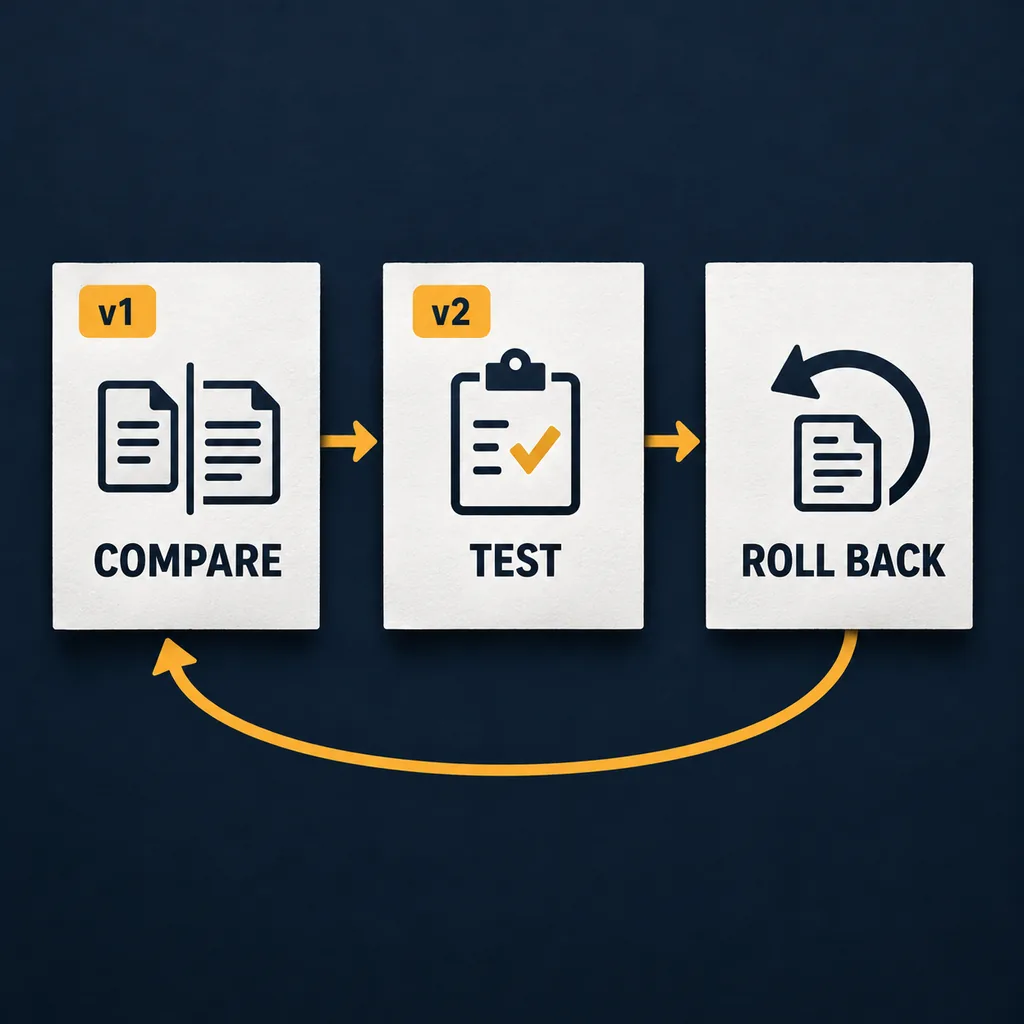
Once the set and rubric are stable, run them for every meaningful revision. Keep candidates separate from the active version, and link the result to the version record. Our prompt versioning guide covers the release and rollback side of that workflow.
- Prepare: choose the fixed cases, rubric, model, settings, and context snapshot.
- Run: execute baseline and candidate with the same inputs and capture outputs without overwriting them.
- Review: inspect failed criteria, grader disagreements, cost, latency, and edge-case behavior.
- Decide: mark the candidate accepted, held, or rejected with a short reason and reviewer.
- Recheck: rerun after a model, retrieval source, tool, or important dataset change.
This process can begin in a spreadsheet or repository. Move to a dedicated prompt evaluation tool when the number of versions, models, datasets, or reviewers makes manual comparison unreliable. The tool should make evidence easier to find, not hide the rubric behind a single score.
Common mistakes and limits
- Testing only the happy path. Include ambiguity, missing facts, and conflicting instructions.
- Changing several variables at once. Record model, context, tools, and prompt separately.
- Using volume as proof. More cases do not fix a biased or unrepresentative set.
- Trusting an aggregate score. A broken safety or format check should remain visible even when the average rises.
- Calling a model grader objective. Check its calibration, drift, and disagreements with people.
- Overpromising certainty. Evaluation provides evidence for a defined set and conditions; it does not guarantee every future output.
Summary: evaluate the decision, not just the wording
Keep a small, varied evaluation set, define observable criteria, compare a baseline with one targeted change, and record why the candidate was accepted or rejected. Add deterministic checks before model graders, preserve human review for important cases, and connect every result to a prompt version. This turns prompt evaluation from a vague score into a repeatable quality decision.
Prompt evaluation FAQ
What is prompt evaluation?
Prompt evaluation is the repeatable process of checking an instruction against representative inputs and explicit criteria. It tells you whether a change improves the task, where it fails, and whether the result is safe to release.
How many examples do I need to evaluate a prompt?
Start with three to ten cases that cover the normal path, a boundary case, and missing or conflicting context. A small, varied set is more useful than many near-duplicates, but it cannot prove that every future input will work.
What criteria should a prompt evaluation rubric include?
Use observable requirements such as required fields, factual support, allowed labels, valid JSON, tone, refusal behavior, latency, or cost. Write pass conditions so two reviewers can reach a similar decision without guessing.
Are prompt evaluation tools better than a spreadsheet?
Not automatically. A spreadsheet or repository is enough for a small set when it preserves the prompt version, input, rubric, output, and decision. A prompt evaluation tool becomes useful when runs, models, datasets, and reviewers are difficult to track manually.
Can an LLM grader evaluate prompts by itself?
An LLM grader can help with semantic or style checks, but it is another model with its own failure modes. Pair it with deterministic checks, a clear rubric, sample calibration, and human review for high-impact decisions.
References
- OpenAI: Prompt engineering — requirements, context, examples, and model-specific testing.
- OpenAI: Optimizing LLM accuracy — an evaluation-led approach to diagnosing and improving application quality.
- Langfuse: Evaluation — a platform example for datasets, scores, and evaluator workflows.